How to bulk upload serial numbers
-
Prepare your CSV file. You can either download our sample.csv template, or simply create it. You just need 2 comma-separated columns:
serial_numberandsku. Here’s a sample content of the file:
-
When the file is ready, you can either drag it in the section below, or click the same section and then choose the file you want to upload.
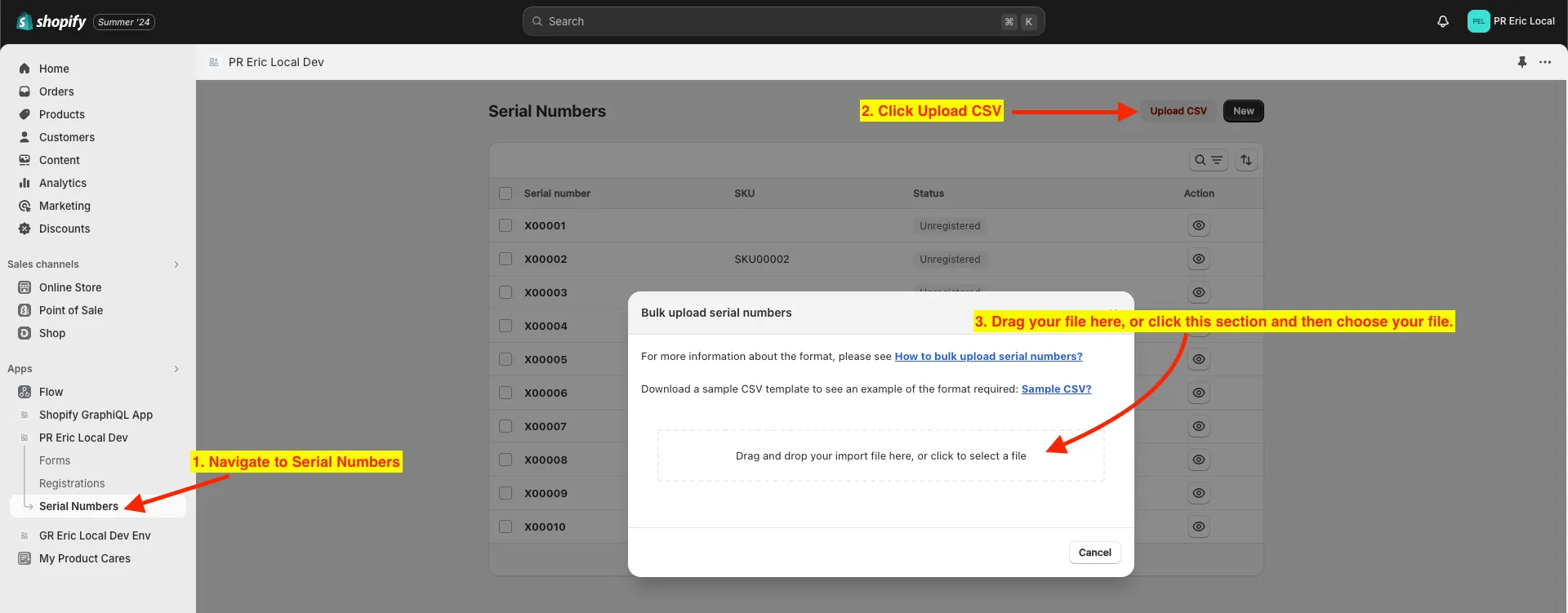
-
After uploading your file, it will show you a list of the serial numbers that were taken from the file.
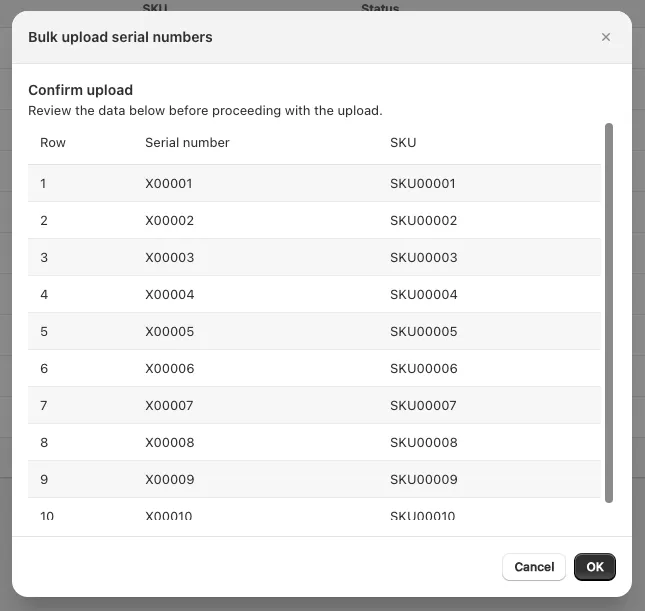
-
When everything looks good, click OK. There should be a prompt at the bottom of the screen when it is done.