
How do I enable Propel Upsells in my theme?
As of January 1, 2024, Shopify no longer allows Shopify apps to modify theme code, and so we’ve switched Propel Upsells to use Shopify’s new theme app extension technology which does not modify theme code.
As part of this change, we’re deprecating Propel Upsell’s “classic” popup style. If your shop is still using the classic style, it will be upgraded to our “modern” style.
To enable Propel Upsells in your theme:
- In Propel Upsells, click the ‘Enable’ button from either the Setup steps box or the warning banner.
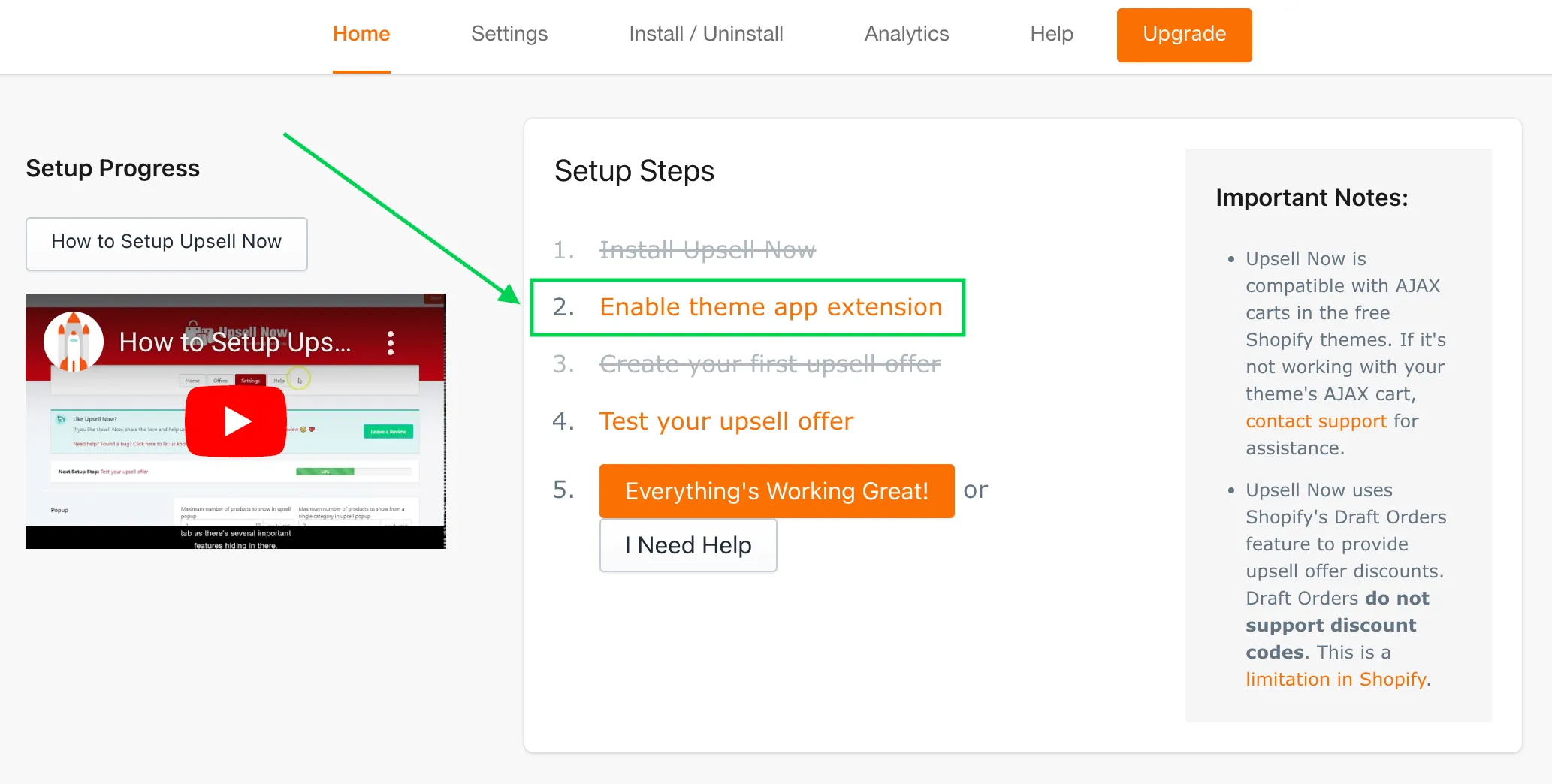
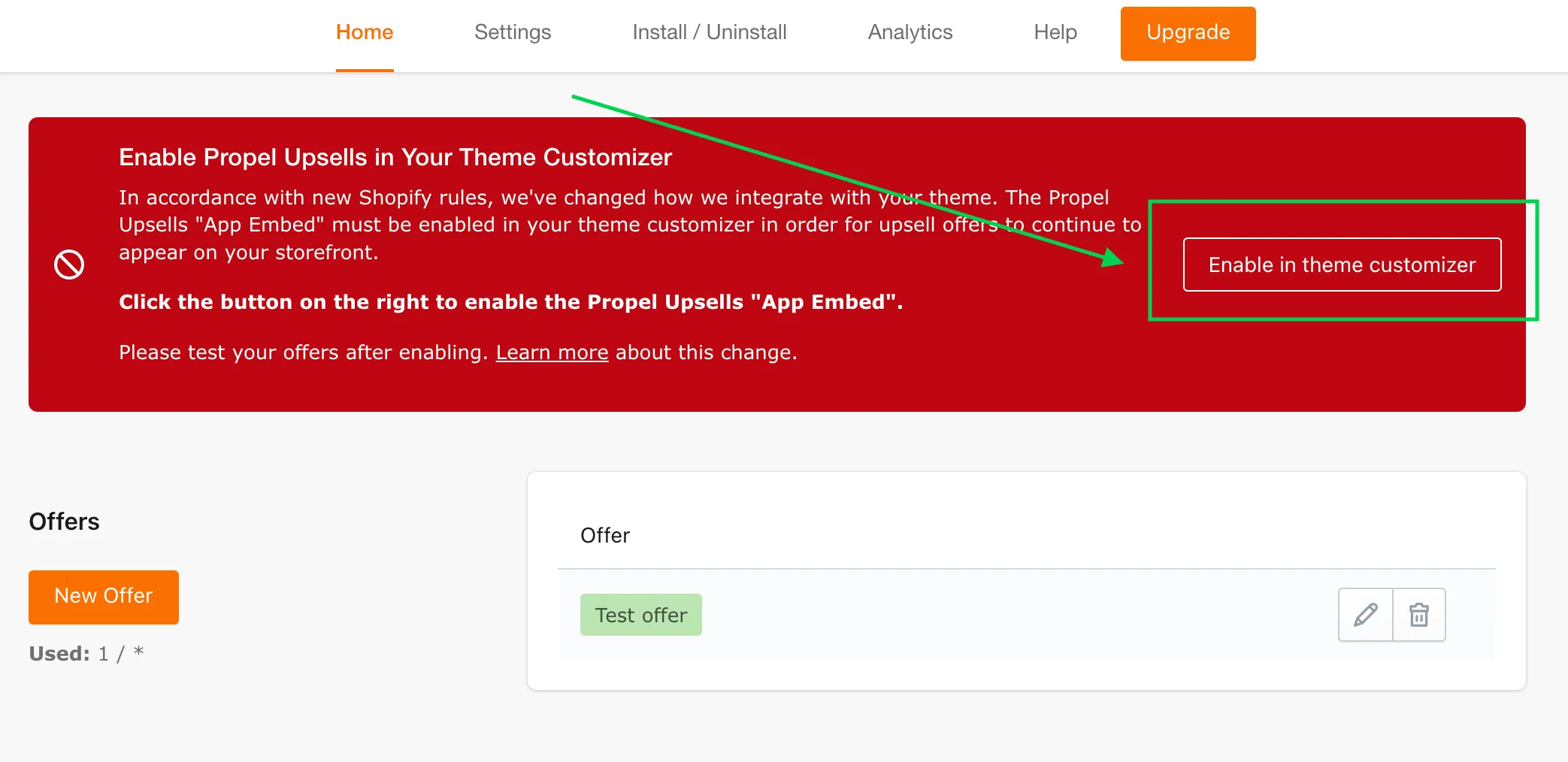
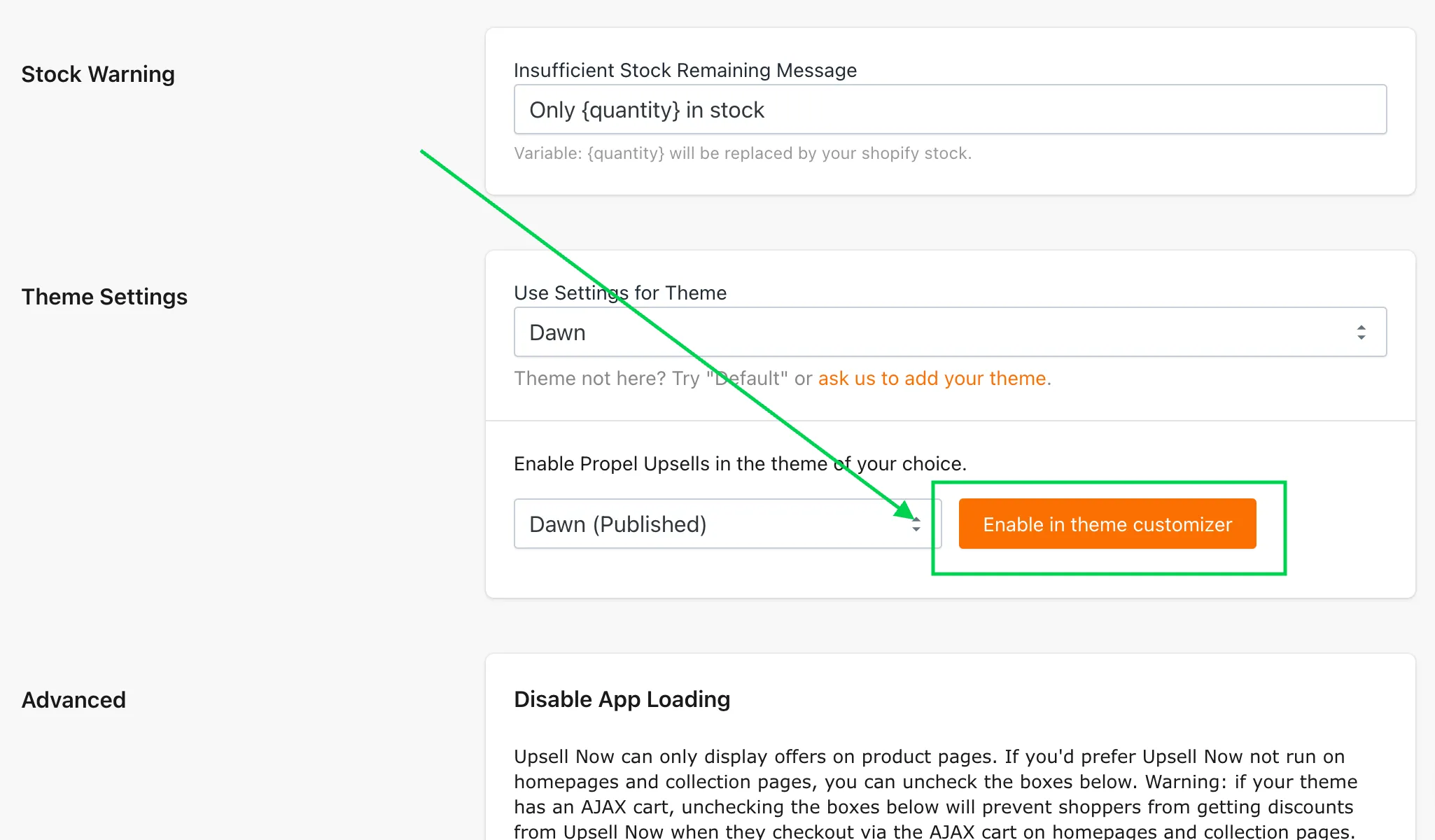
You can also enable Propel Upsells at any time, for any theme, from the Settings tab in the app:
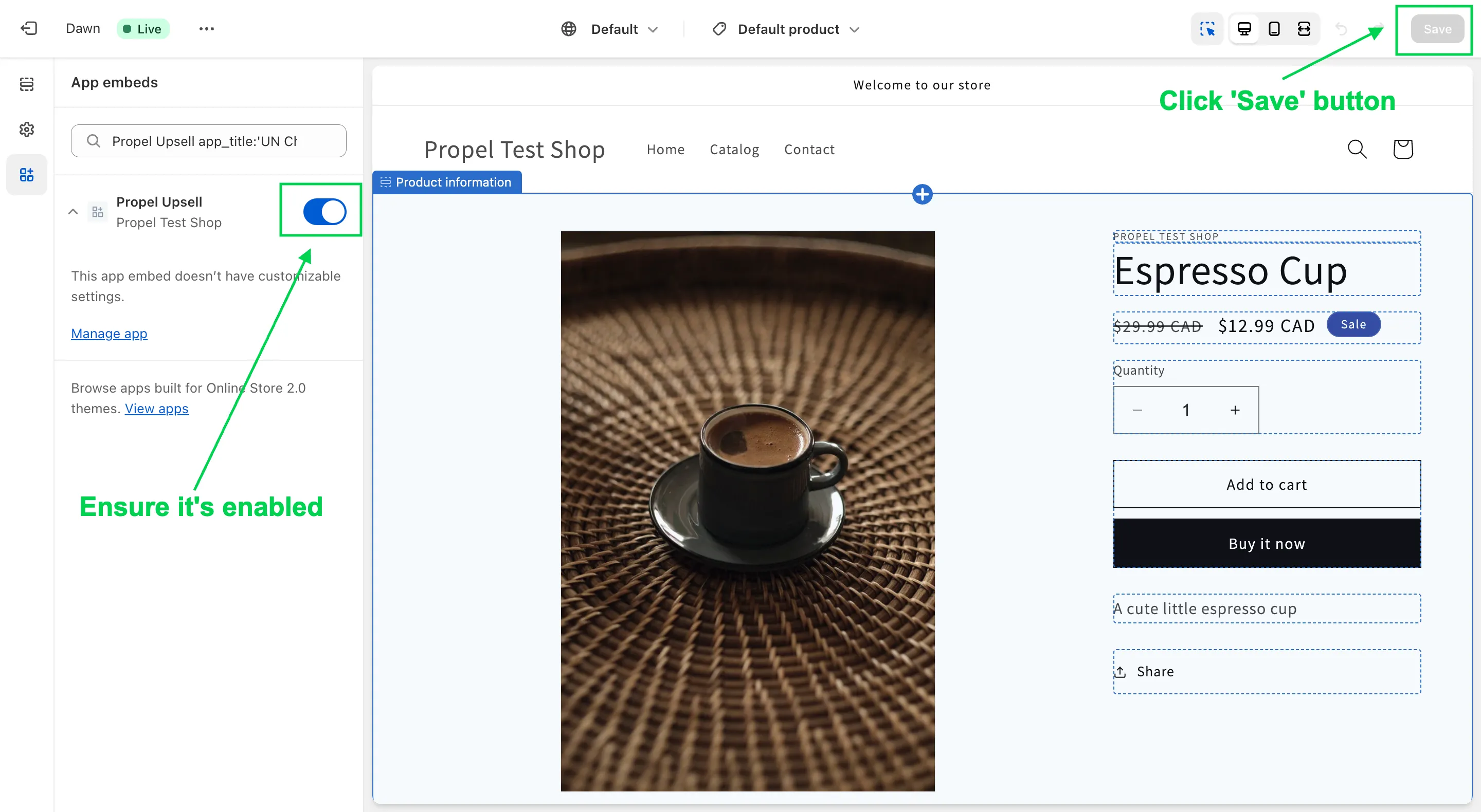
- This will open the Theme Customizer in a new tab. The Propel Upsells app embed should be enabled. If not, enable it. Then click the “Save” button.
- Test your offers on your storefront. If anything needs adjustment or if your offers aren’t appearing, contact support for assistance.