How do I activate Propel Subscriptions in my theme?
Watch the full onboarding video above or follow the steps below.
During onboarding
Section titled “During onboarding”During onboarding, you should be presented with this page in step 2:
Section titled “During onboarding, you should be presented with this page in step 2:”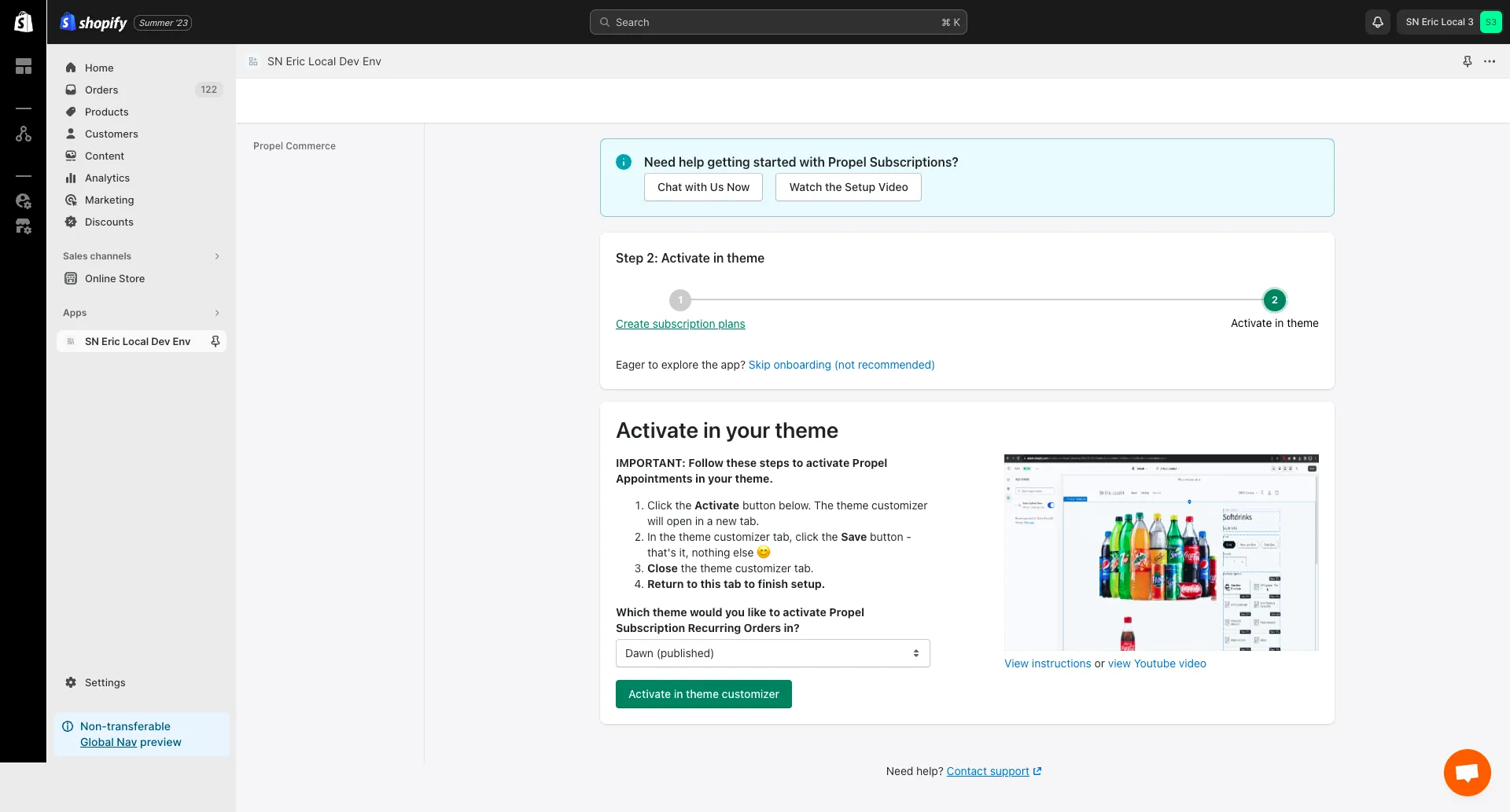
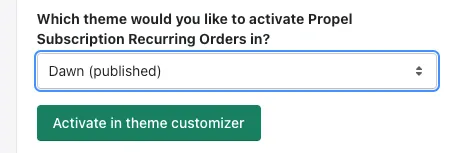
Choose the theme where you want to activate our app then click the “Activate in theme customizer” button. That will open the theme customizer:
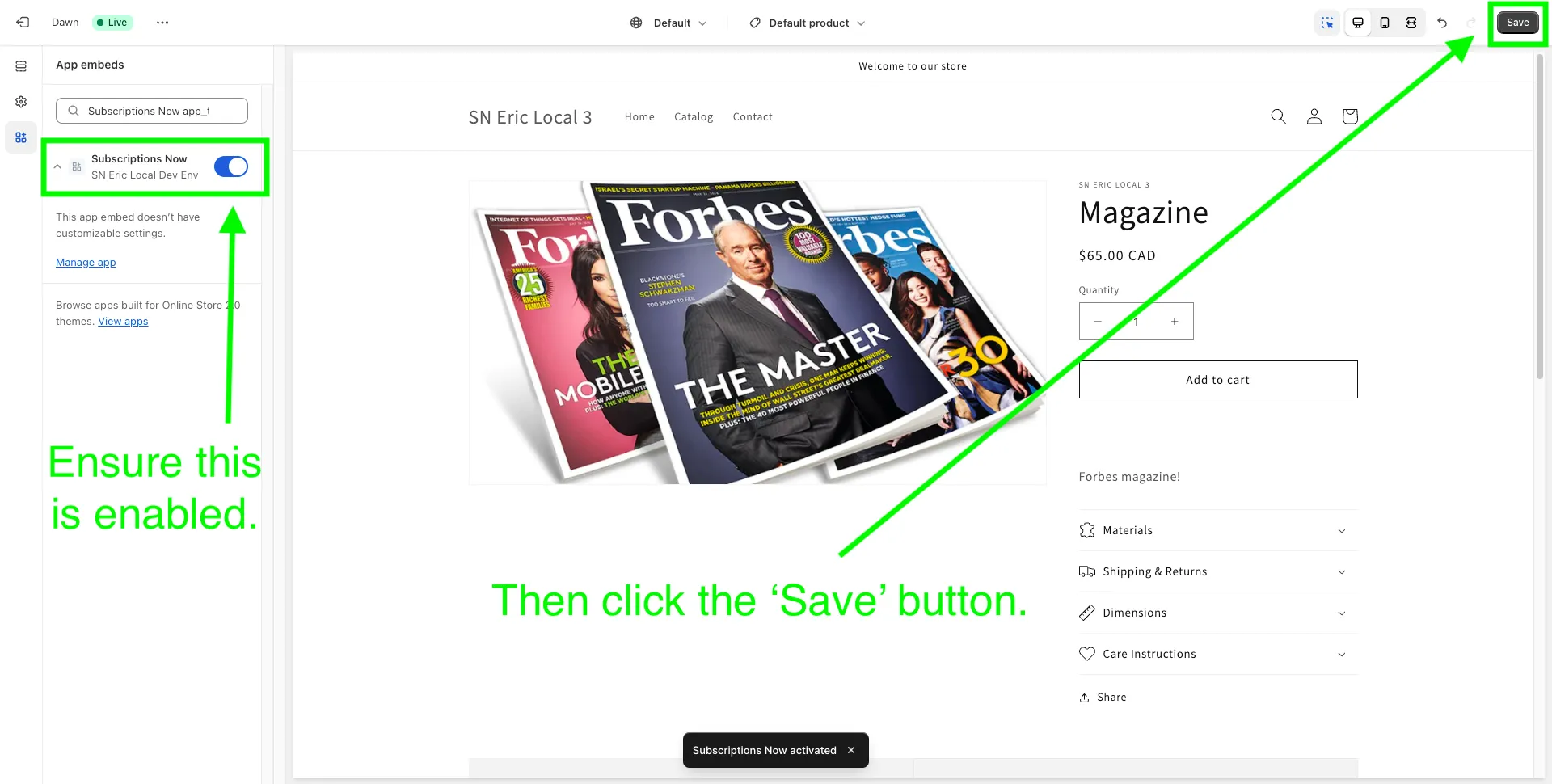
As you can see, the app embed for Propel Subscriptions Now is already activated in your product page. Our app embed does not have any customizable settings. All you need to do now is click the Save button in the top right corner.
You can also deactivate our app embed in your product page by clicking on the switch control beside our app name then clicking Save.
After onboarding
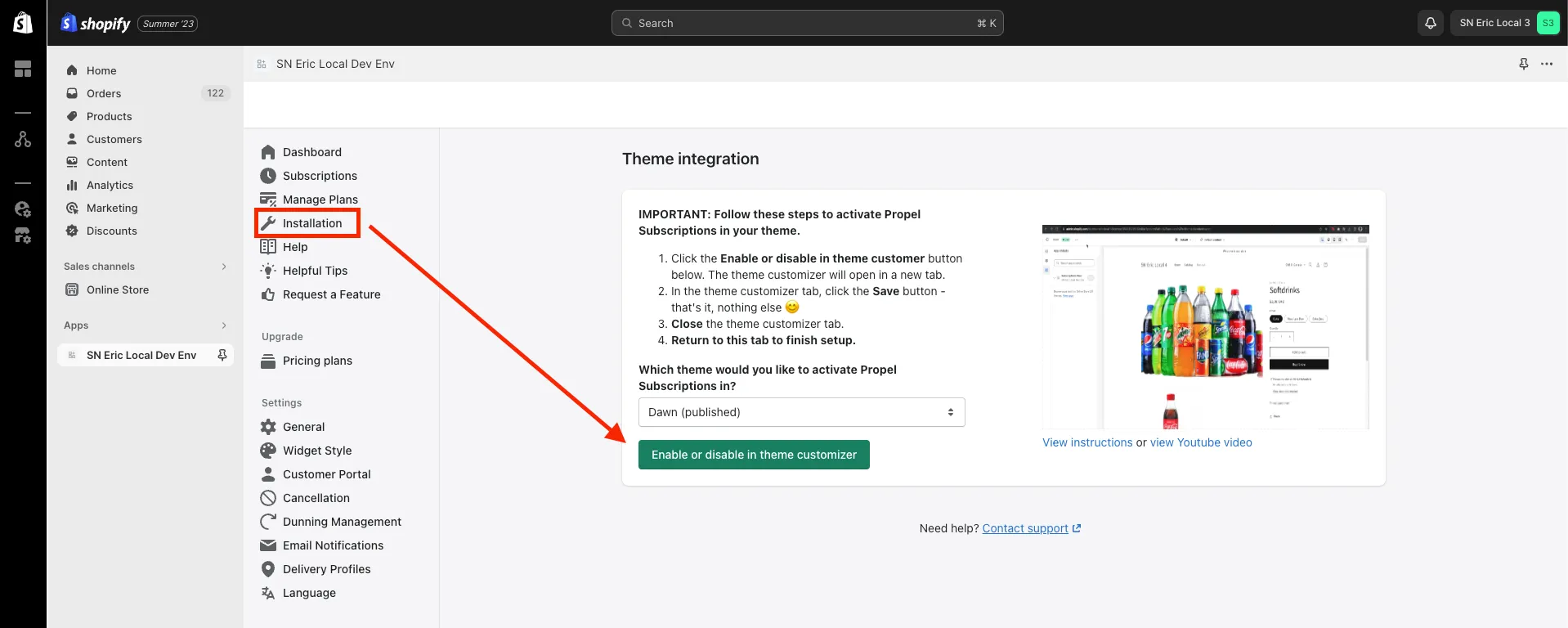
Section titled “After onboarding”After onboarding, you will still be able to do the same thing by clicking on ‘Installation’ in the side navigation:
Choose the theme you want then click ‘Enable or disable in theme customizer’.