
How do I cancel my subscription and delete the app?
-
Go to the Settings page in your Shopify account.
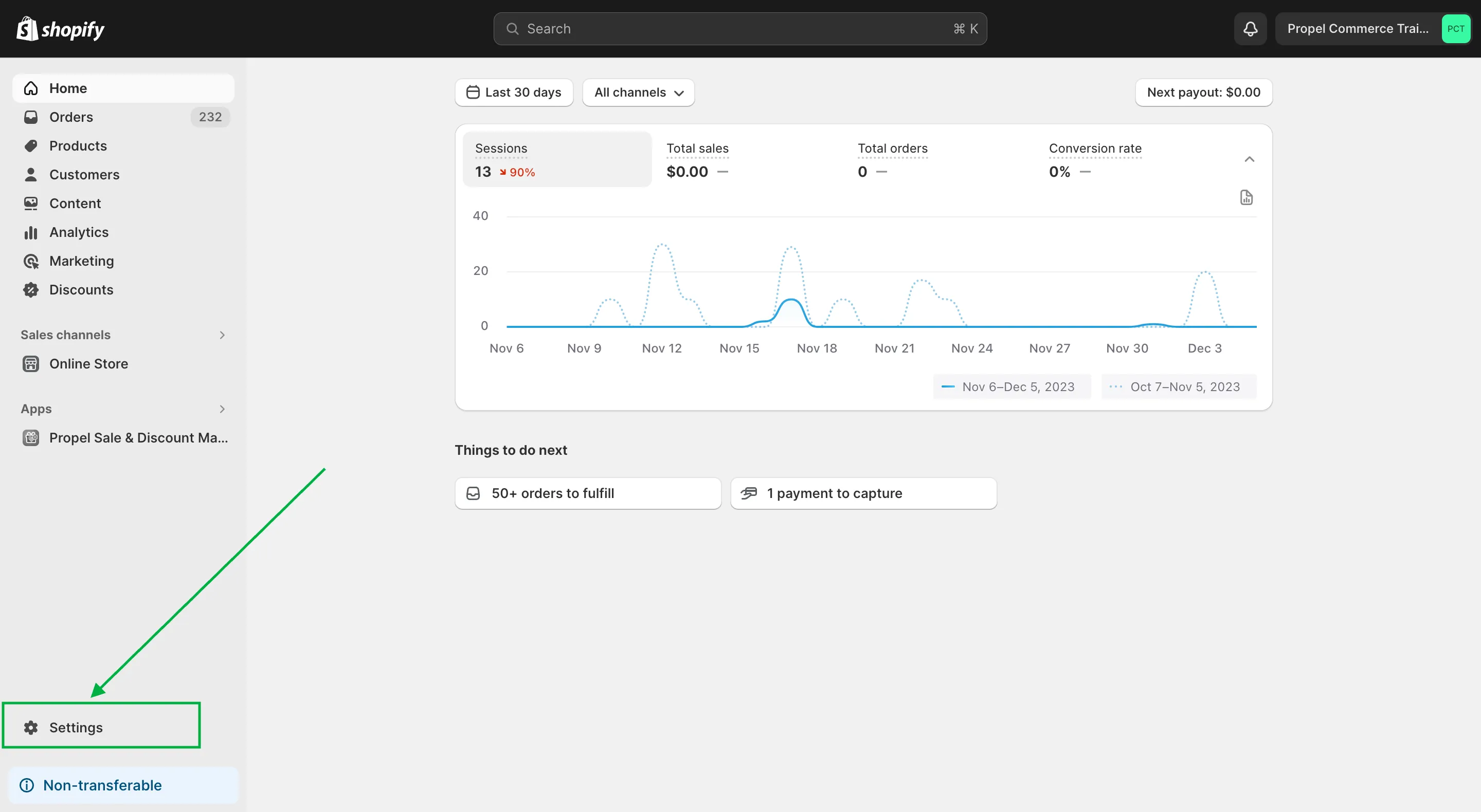
-
Click ‘Apps and sale channels’.
-
Click the hamburger icon beside app you want to delete.
-
Click ‘Uninstall’.
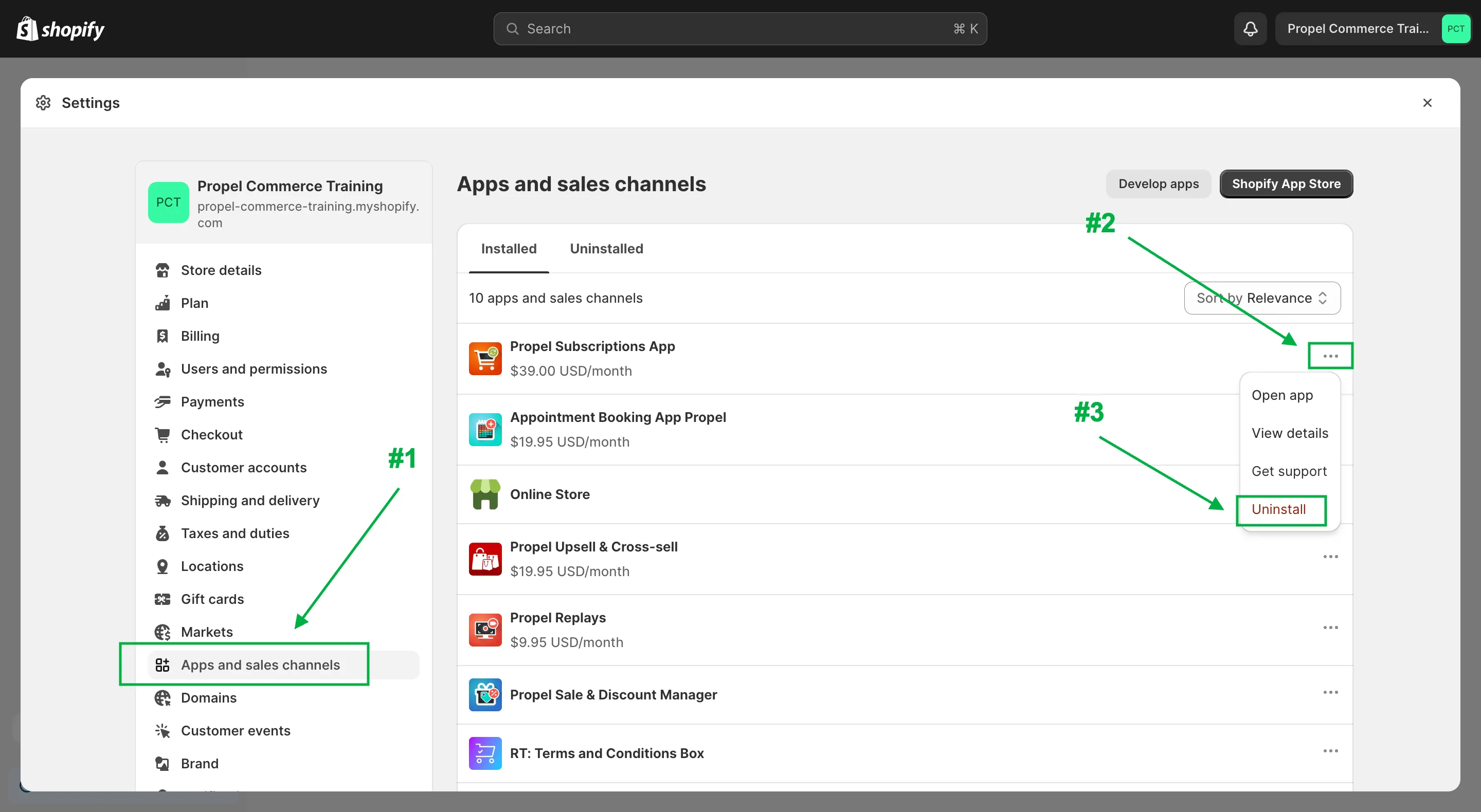
Note: “if you’re on a paid plan, this will cancel future app charges, however you will still be responsible for the app charge for the current billing period.”
Example without a free trial:
Section titled “Example without a free trial:”- Assume your billing period is Jan 1st - Jan 30th
- If you Installed on: Jan 1st
- Upgraded to paid on: Jan 2nd
- Uninstalled on: Jan 11th
You will see the first (and final) app charge on your Jan 30th bill.
Example with a free trial:
Section titled “Example with a free trial:”- Assume your billing period is Jan 1st - Jan 30th
- If you Installed on: Jan 1st
- Upgraded to paid on: Jan 2nd
- Free trial ends on: Jan 9th
- Uninstalled on: Jan 10th
Because you uninstalled after the free trial end date, you will get charged for the app, and you will see the first (and final) app charge on your Jan 30th bill.
If your plan includes a free trial and you determine the app is not a fit for your needs, be sure to uninstall before the free trial ends to avoid getting charged. If you exceed the free trial period by a day or two, contact support@propelcommerce.io and we may be able to refund or credit your Shopify account.