
How to setup the Calendar Feature so customers can book the same timeslots for each service?
The Calendar Feature is a very useful feature if you want customers to book the same timeslot for all your services. You need to have the PREMIUM plan to be able to use it.
For example, you want customer A to book October 21st from 10am-1pm in Foot Spa and customer B to book the same time - October 21st from 10am-1pm in Hot Stone Massage.
Without the Calendar feature, only one customer can book the timeslot even if you have other services open. This is designed for merchants who can only handle one service at a time.
For example, customer A booked October 21st from 10am-1pm in Foot Spa, that means nobody else can book the same date and timeslot for any other service like Hot Stone Massage or Face Spa.
Here’s how to set it up:
Section titled “Here’s how to set it up:”-
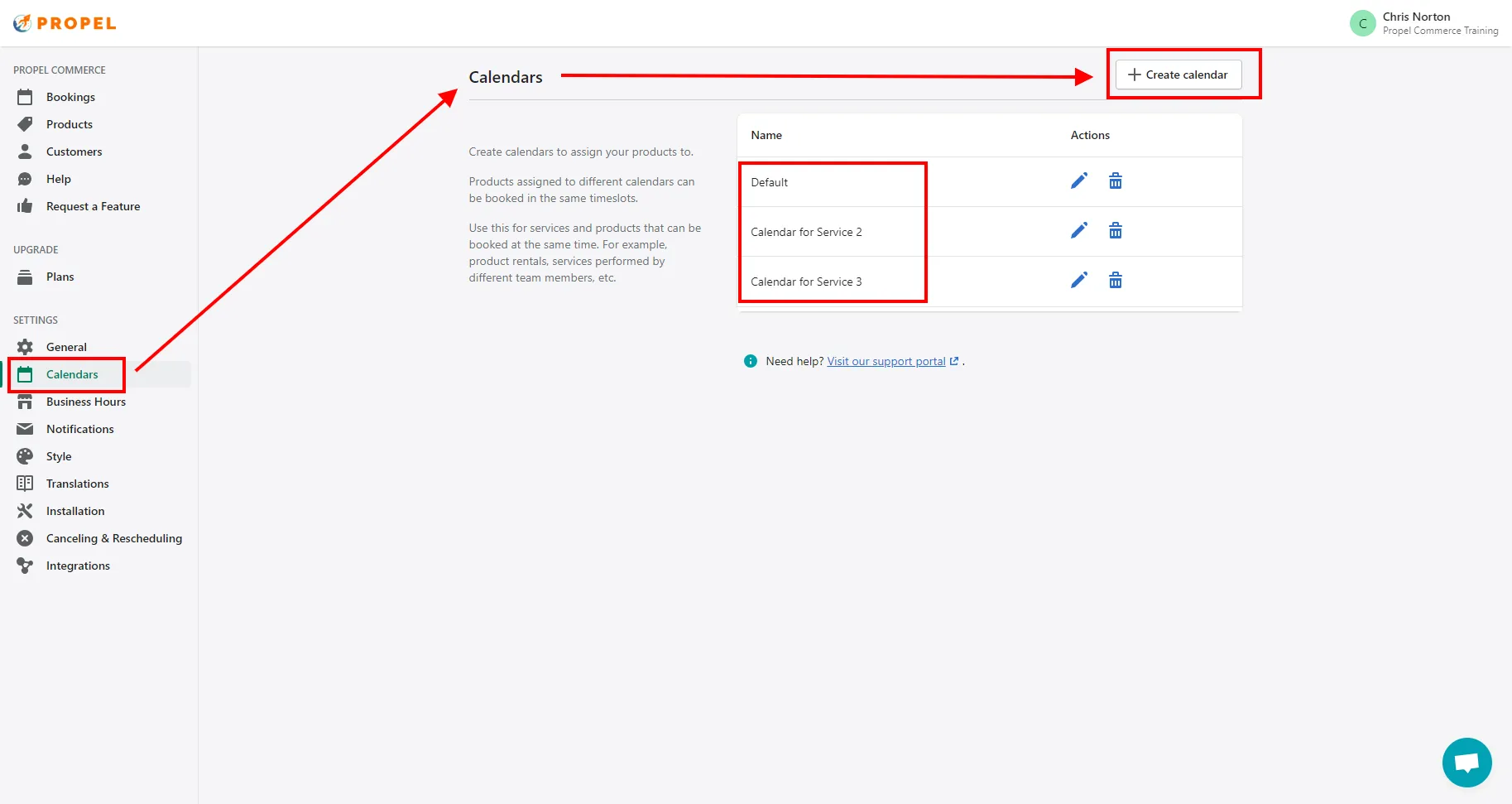
Create the additional calendars in the Calendar page in the app. Please do not rename or delete the Default Calendar, this important for the app to work.
-
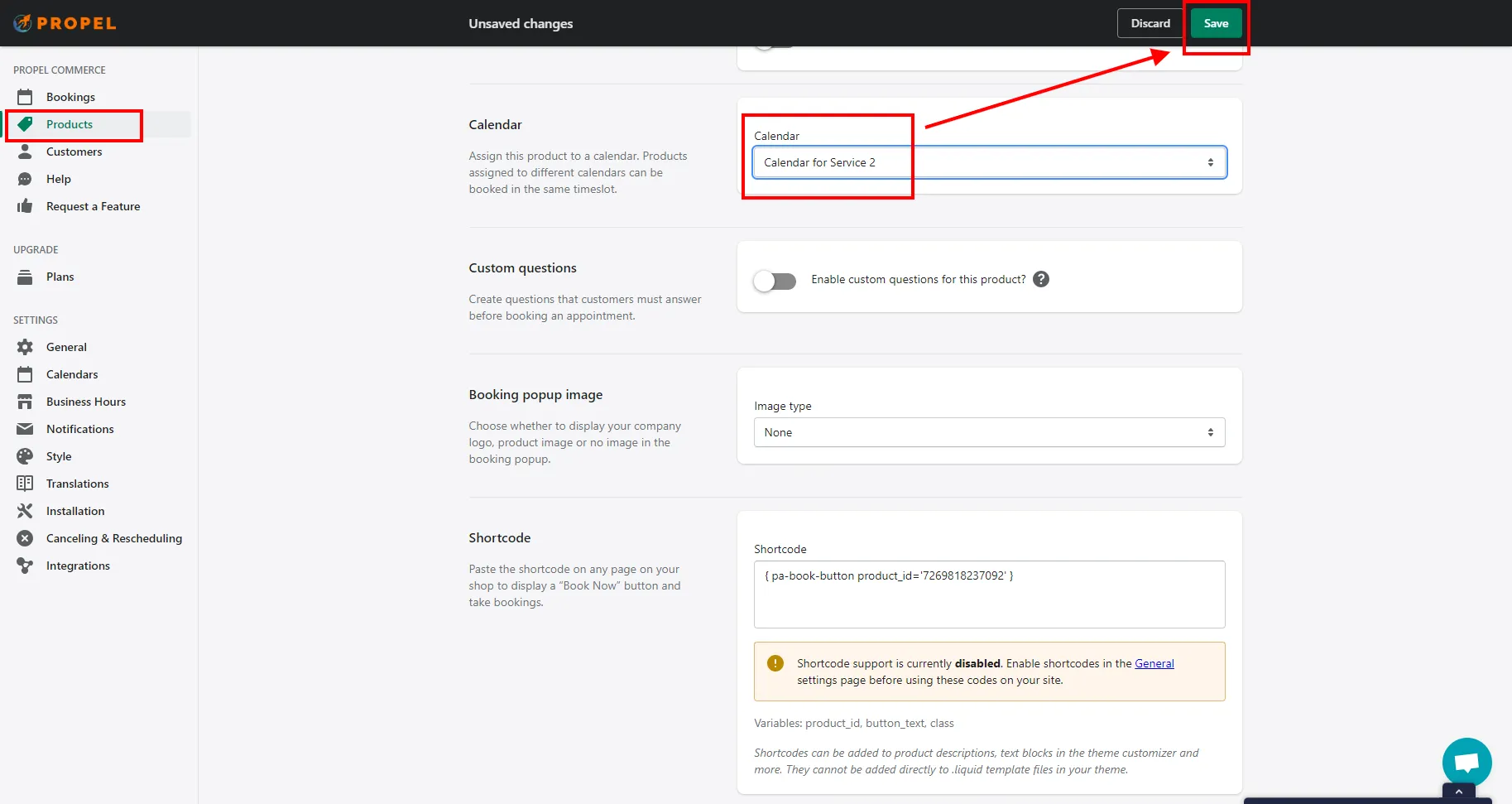
Assign the services or variants into the right calendar when you make the booking schedule.
-
Please don’t forget to SAVE your settings.
-
Chat with us in our app if you encounter any error or email us at support@propelcommerce.io if you have more questions.