
How do I enable shopper action push notifications?
Push notifications give you a browser notification the moment a shopper does something on your store — enters, adds a product to cart, reaches checkout, places an order, or returns for another visit. Clicking the notification opens that shopper’s live session replay, so you can watch what’s happening as it happens.
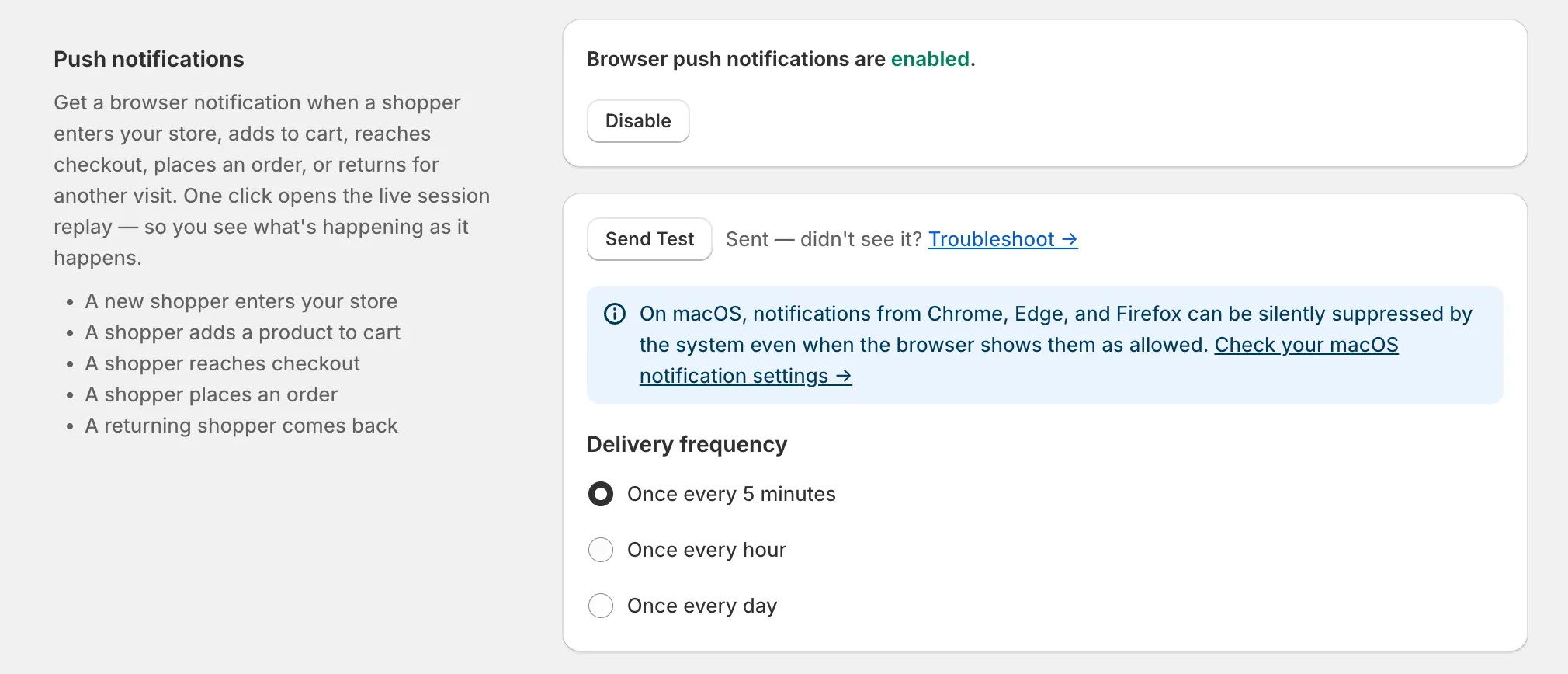
Step 1: Enable push notifications in the app
Section titled “Step 1: Enable push notifications in the app”- Go to the Settings page in Propel Replays.
- Find the Push notifications section.
- Click Enable.
Once enabled, you can adjust two things in the same section:
- Delivery frequency — the most often you’ll be notified: once every 5 minutes, once every hour, or once every day. Pick the cadence that won’t overwhelm you — high-traffic stores usually want a longer interval.
- Send Test — fires a test notification immediately so you can confirm they’re coming through.
Step 2: Allow browser notifications on macOS (non-Safari browsers)
Section titled “Step 2: Allow browser notifications on macOS (non-Safari browsers)”If you’re on a Mac using Chrome, Edge, or Firefox, macOS can silently suppress notifications even when the browser itself shows them as allowed. If you enabled push notifications and sent a test but never saw a banner, this is almost always why.
To fix it:
- Open the macOS System Settings app.
- Go to Notifications.
- Find your browser (Chrome, Edge, or Firefox) in the list.
- Turn on Allow notifications, and make sure the alert style is set to Banners or Alerts — not None.
Safari isn’t affected — it uses macOS’s notification system directly. The suppression only hits Chromium- and Firefox-based browsers.
Once macOS is allowing notifications for your browser, send another test from the Push notifications section to confirm everything’s working.