
What are replay AI summaries?
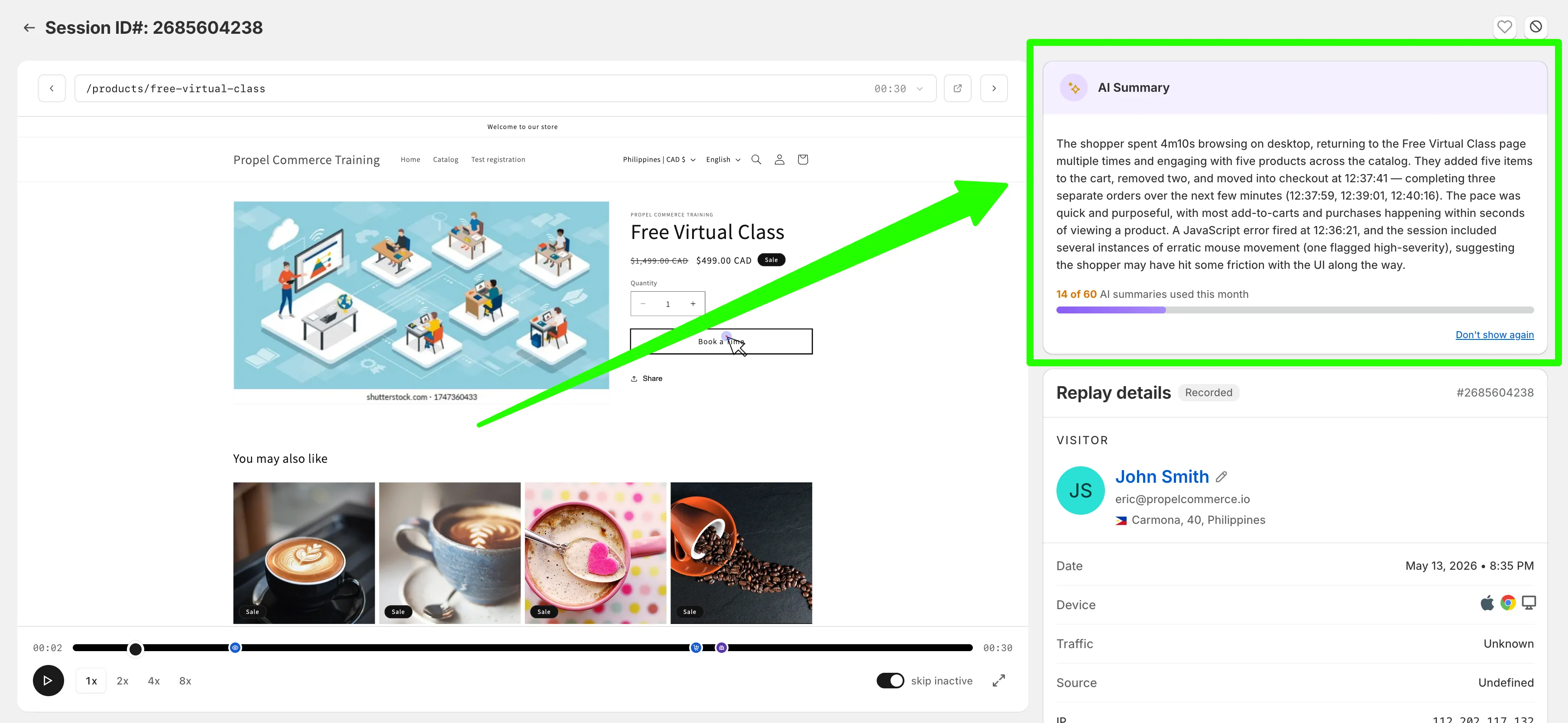
Replay AI summaries give you a written rundown of what a shopper did during their session — the key clicks, the products they viewed, when they added to cart, where they hesitated, when (and how often) they checked out. You get the gist of a long replay in seconds instead of watching the whole thing.
When it’s useful
Section titled “When it’s useful”- Long replays. A 10-minute session is hard to skim. The summary tells you the highlights up front so you can decide whether to watch the full thing.
- Triaging support questions. A merchant or teammate reports an issue. Open the replay, read the summary, see what happened in one paragraph — then jump to the relevant moment if you need to.
- Spotting patterns across many sessions. Read 10 summaries in the time it would take you to watch one replay, and look for repeated friction.
What the summary includes
Section titled “What the summary includes”- A short timeline of what the shopper did (browsing, add-to-cart, checkout, etc.) with timestamps
- Notable events — JavaScript errors, erratic mouse movements, rage clicks
- A brief interpretation of whether the session looked smooth or whether the shopper hit friction
The summary doesn’t replace the replay — it’s a fast way to decide which replays are worth watching closely.
AI summary quota
Section titled “AI summary quota”Each shop gets a monthly AI summary quota that’s shared between replay summaries and heatmap summaries. Your current usage is shown below each summary (e.g. “14 of 60 AI summaries used this month”). The quota replenishes at the start of each month.
If you regularly use up your quota and want more, upgrading your plan gives you a larger monthly allowance.