
Why aren't my appointments showing on my Google Calendar?
Please note that at this time only new appointments will be synced to your Google Calendar.
When you enable the Google Calendar integration in Propel Appointments, Google will require that you approve our access to your Google Calendar.
During that process, please ensure you check the box ‘View and edit events on all your calendars’ shown in the screenshot below. This grants us the permissions required to post your bookings to your Google Calendar.
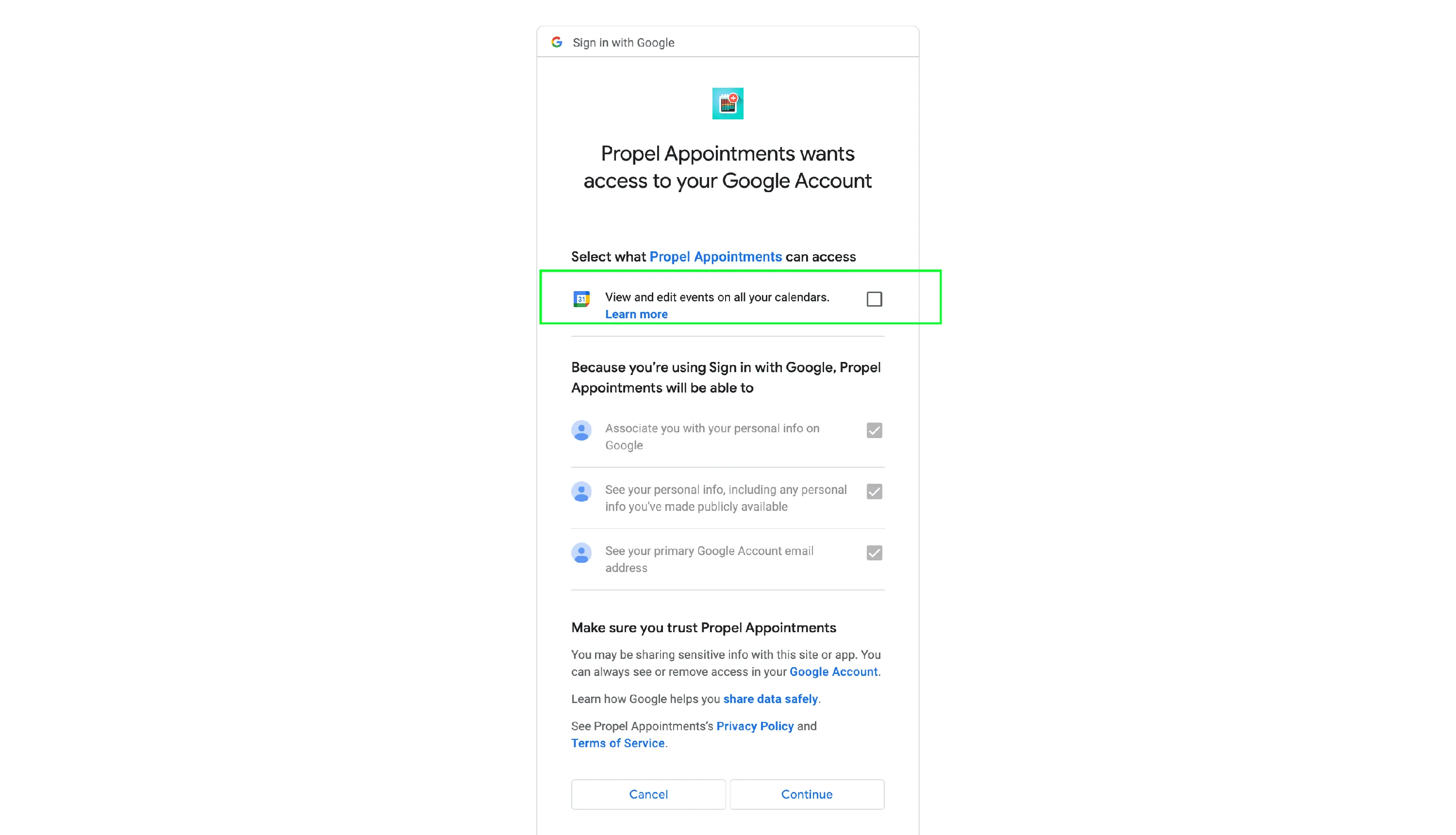
If you didn’t check this box, please disable then re-enable the integration following these steps:
- Visit the Integrations page in the Propel Appointments app and click Disable
- Visit https://myaccount.google.com/u/1/permissions
- Under Third-party apps with account access, find Propel Appointments and click Revoke Access
- Visit the Integrations page in the Propel Appointments app
- Click Activate then follow the prompts to re-grant Propel Appointments access to your Google account ensuring to check the box ‘View and edit events on all your calendars.’