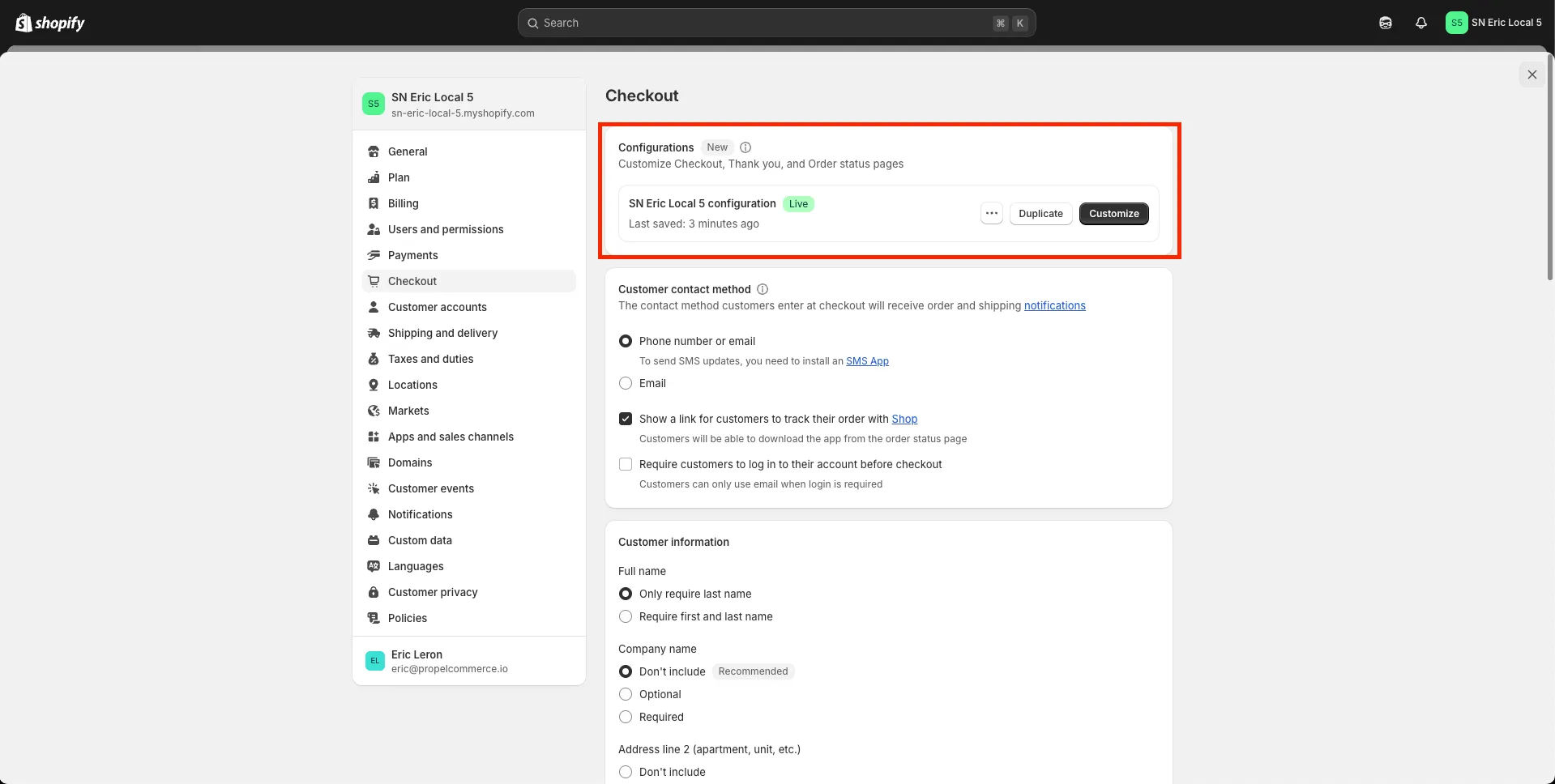
How do I upgrade my Thank You page
Shopify automatically adds a Subscriptions block that allows user to navigate to the Accounts page from the Thank You page. For this to appear, you need to upgrade your Thank You page. Here’s the steps:
Important: when upgrading, Shopify will inform you of any apps that still depend on the old version of the Thank You page. Upgrading may prevent those apps from functioning on your Thank You page.
-
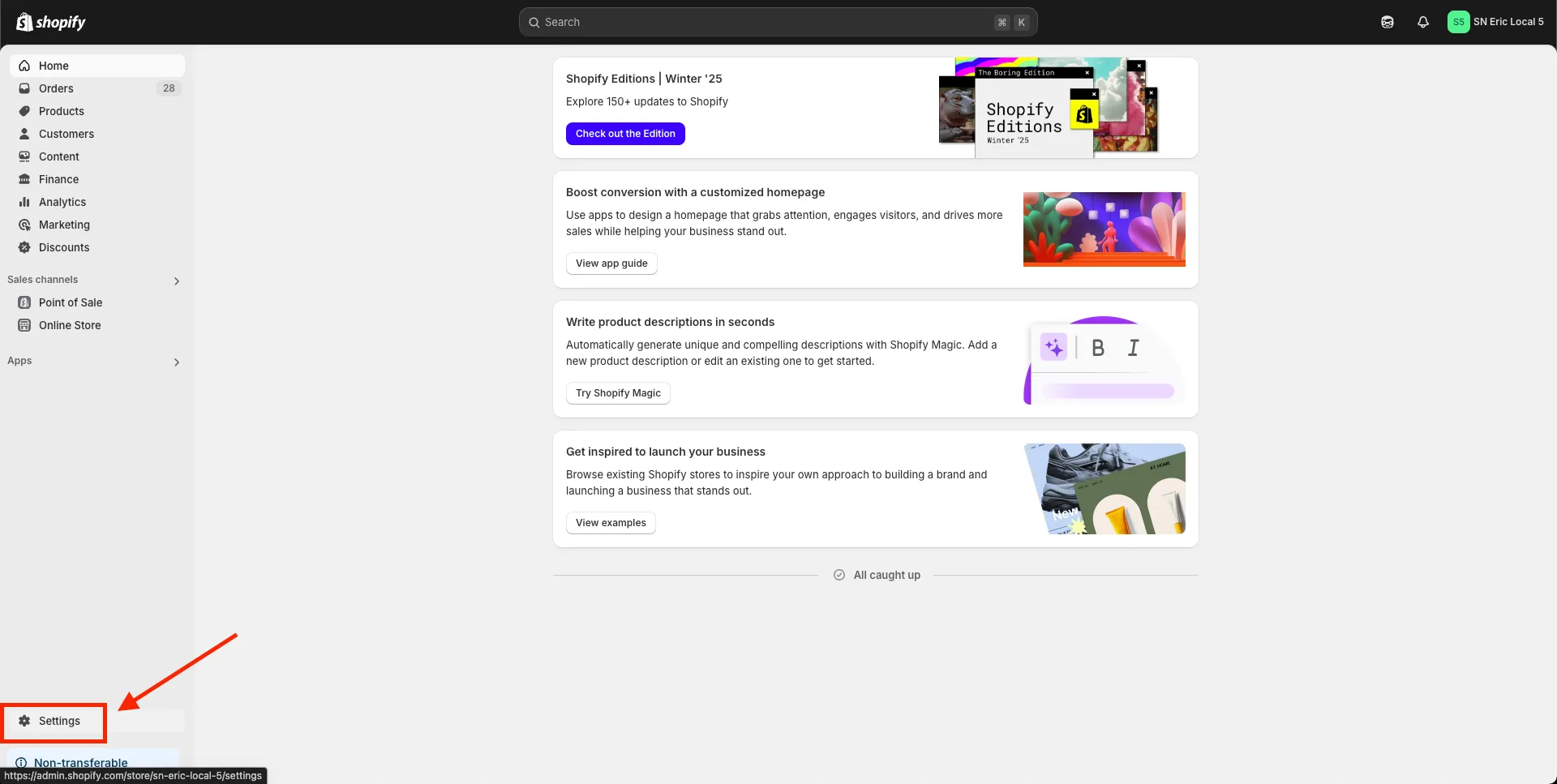
Go to your store’s Settings page
-
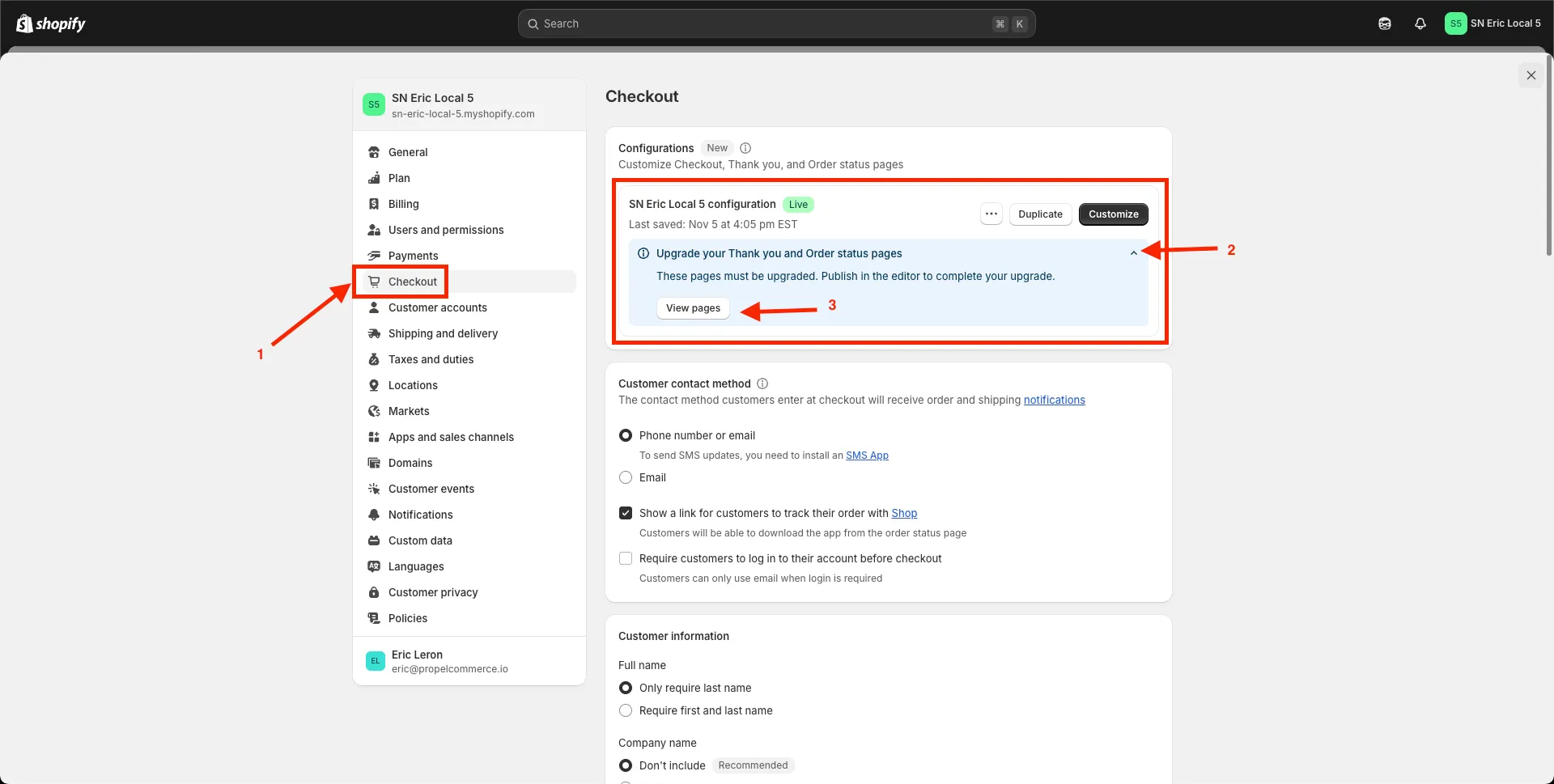
Click Checkout, Expand the “Upgrade your Thank you and Order status pages”, and then click the View pages button.
-
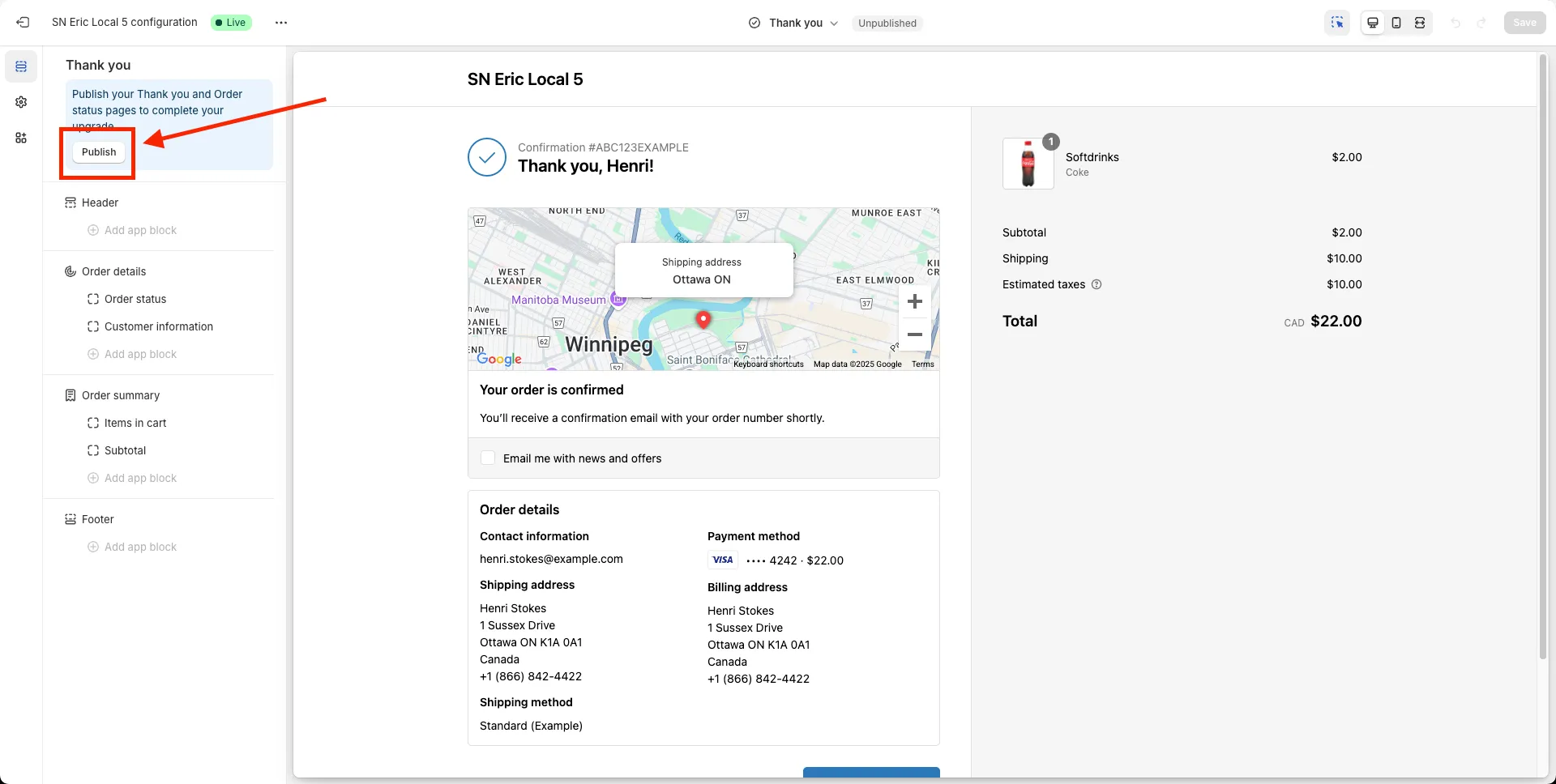
You’ll be redirected to the Thank You page. Click Publish.
-
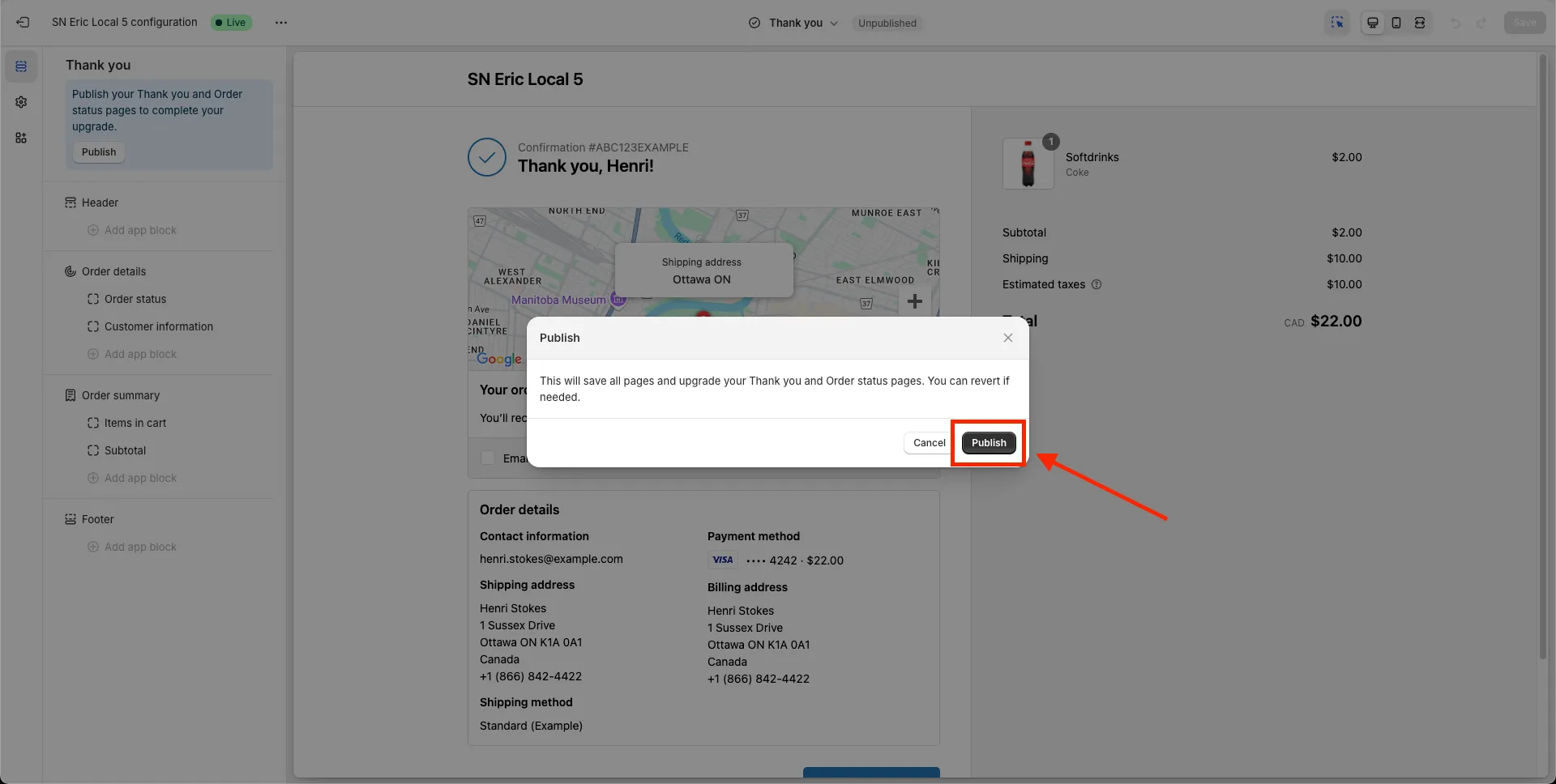
There will be a confirmation pop-up. Click Publish.
-
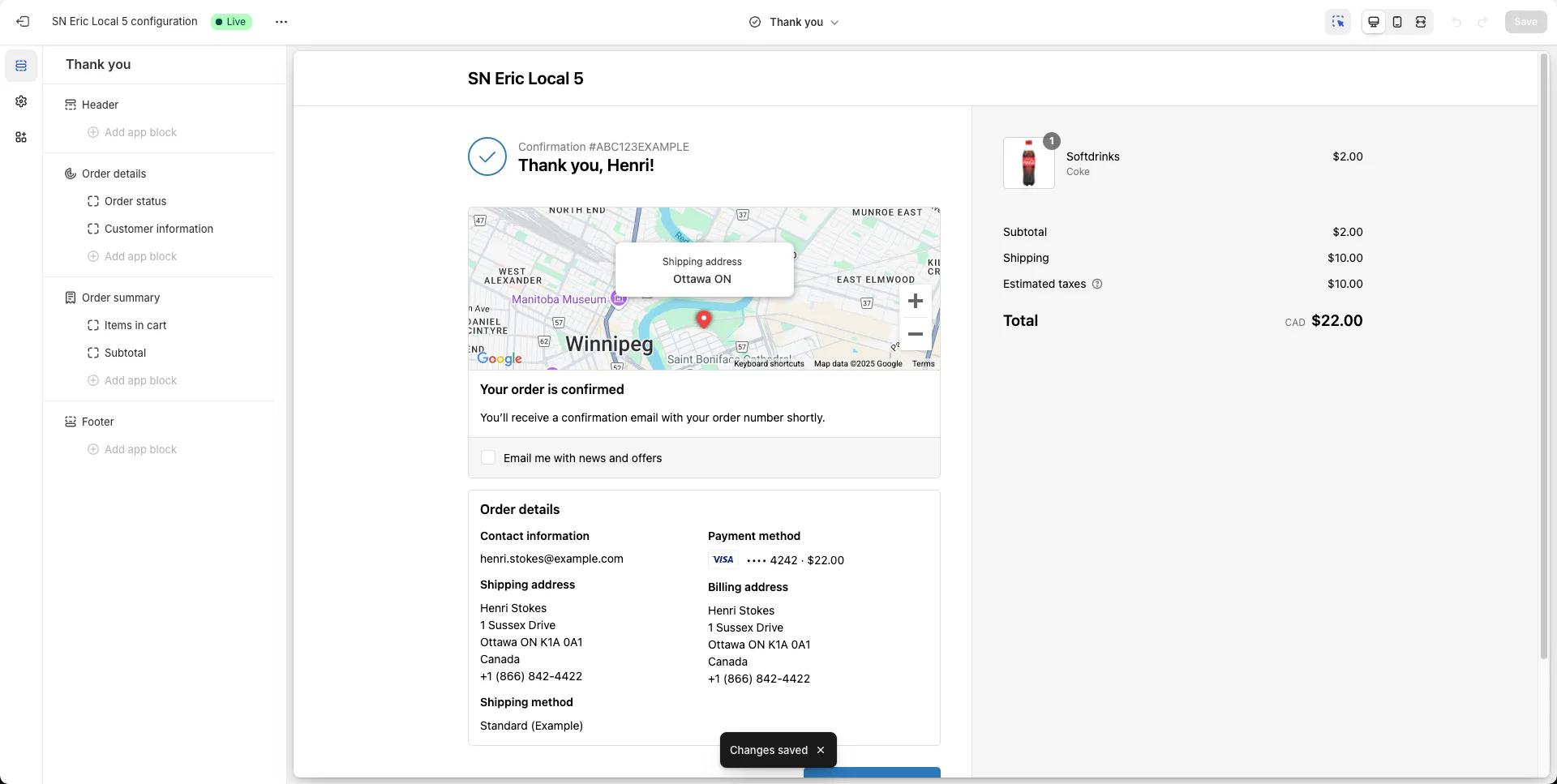
It should show a Toast at the bottom of the page that changes have been saved.
-
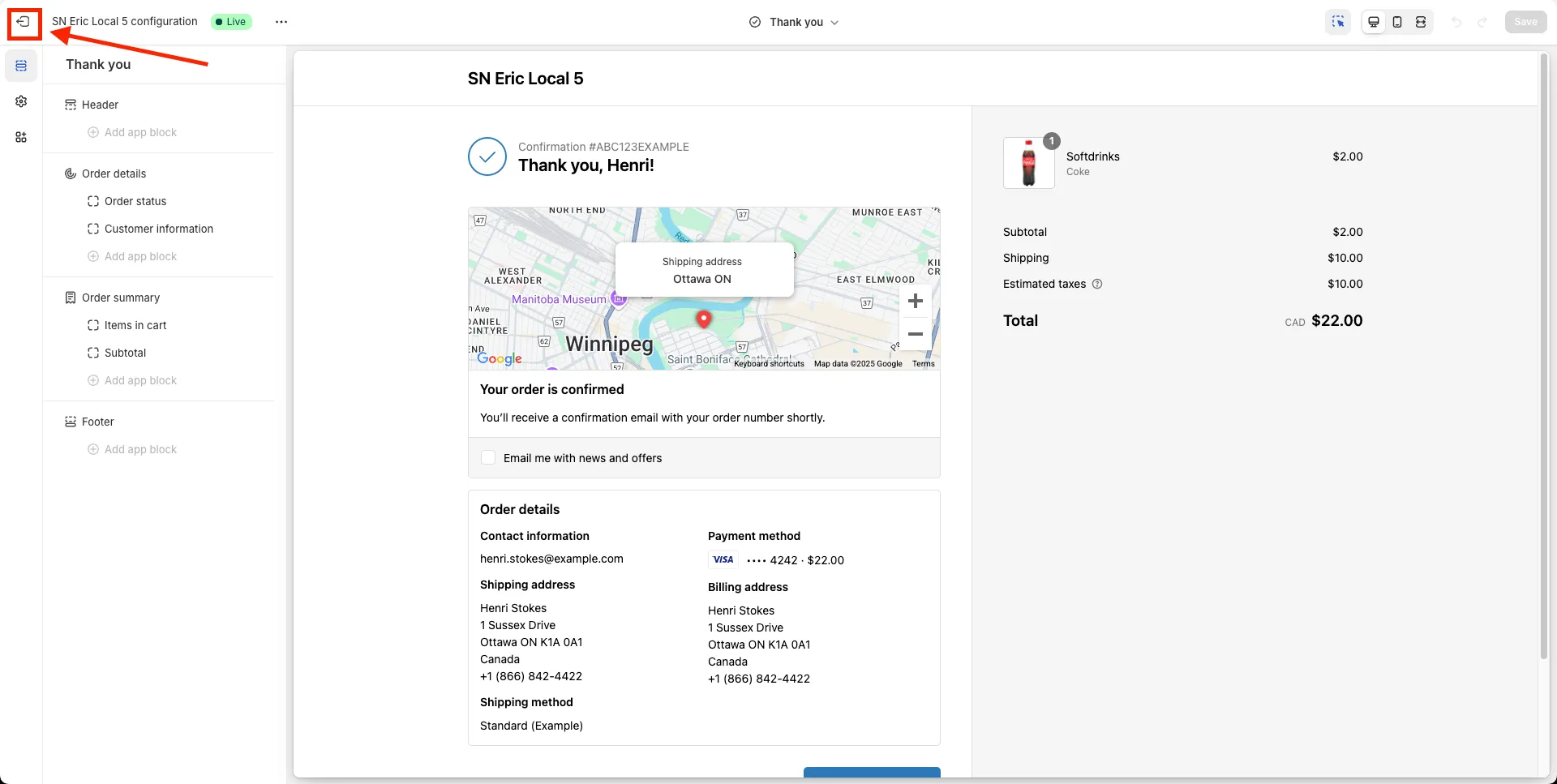
Click Exit to go back
-
If the Checkout page looks like the one below, then you’re done with the upgrade